Features

Everything Drops
does today

Fast to log, clear to read and private by design. Here's what's in Drops Finance 1.0.

Add

Add in seconds

A big number pad, a category, and you're done.
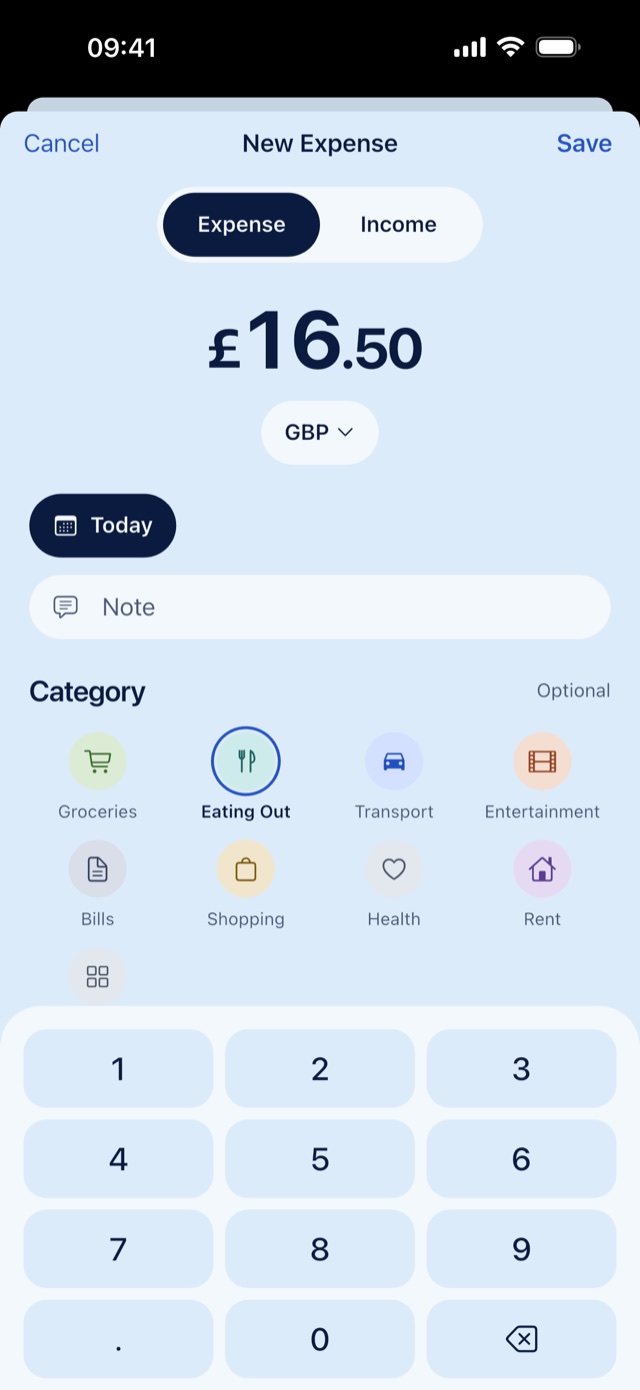
Big number padType the amount the way you'd say it.
Most-used categories firstThe ones you pick most sit at the top.
Other currenciesEnter a spend in euros or dollars at your own exchange rate.
NotesA few words so you remember what it was.
The New Expense sheet with a large number pad and category grid
Home and Stats

See where it goes

Your spending, turned into something you can read at a glance.
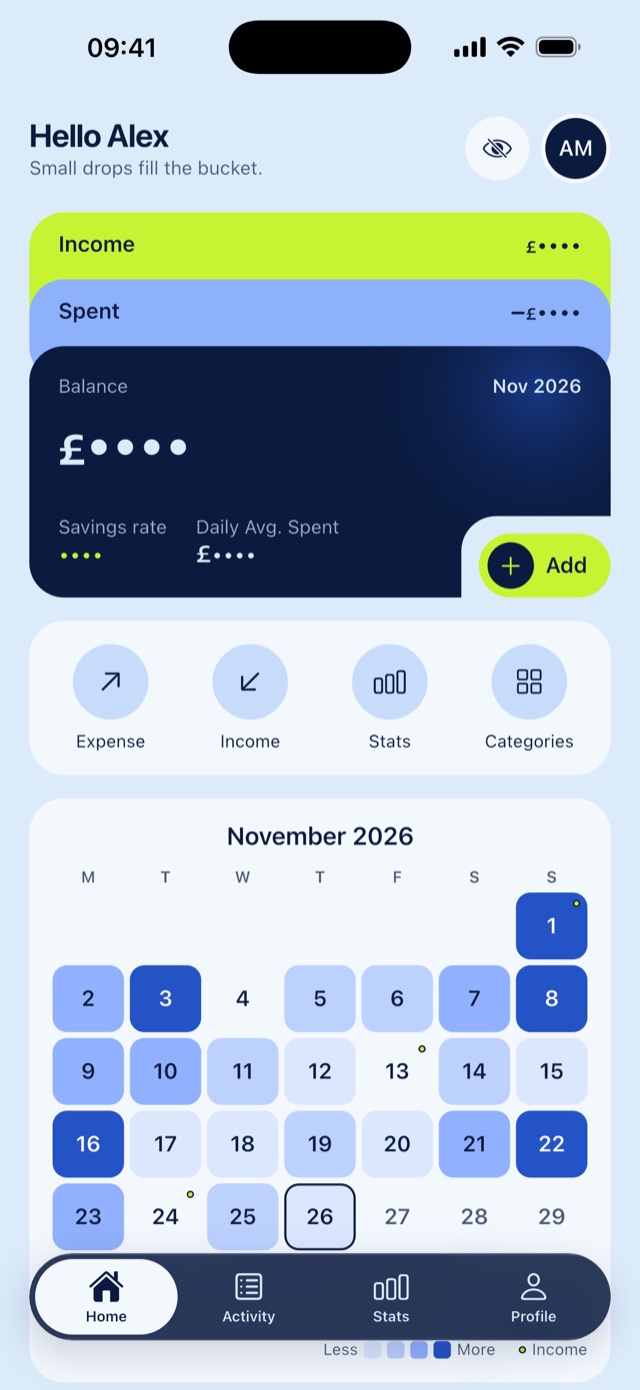
HomeThis month's balance, savings rate and daily average, with recent transactions.
Spending calendarDarker days cost more. Lime dots show money in.
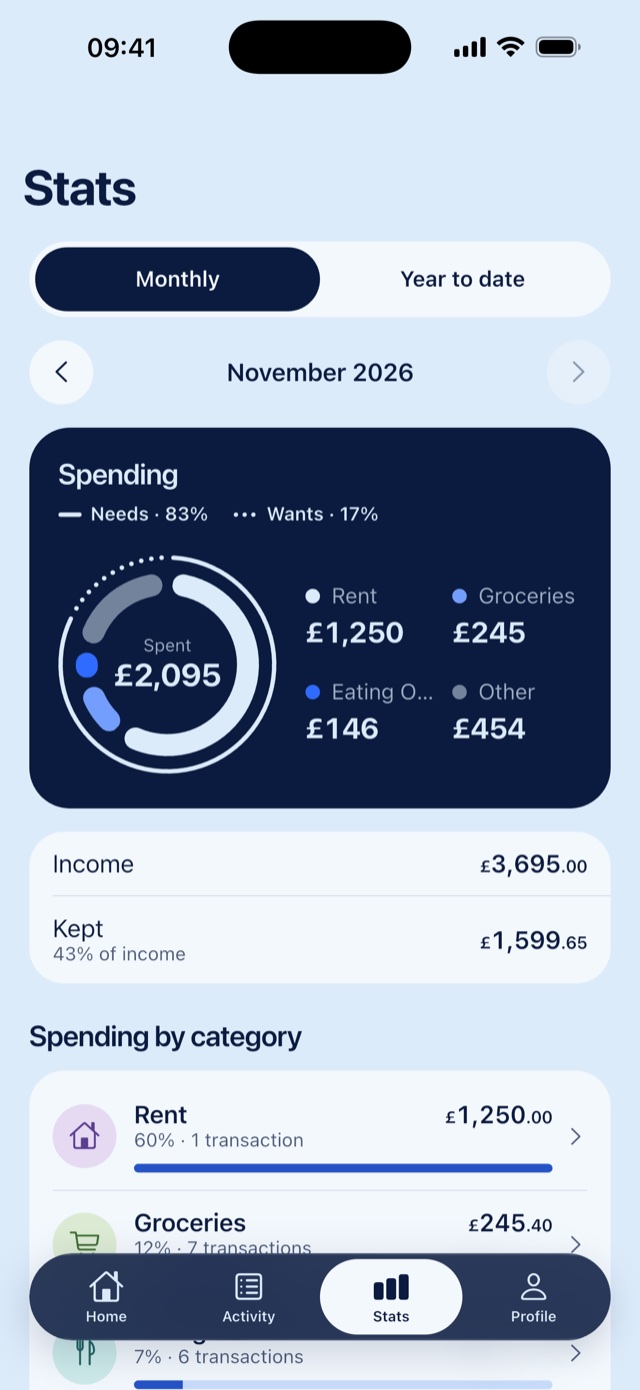
Needs, wants and savingsMeasured against 50/30/20, or a split you choose.
Category drill-downTap any category to see its transactions.
Activity and Categories

Stay organised

Find any spend, and keep your categories the way you like them.
Search and filtersSearch notes, and filter by type, category or month.
Pin and duplicateKeep a spend on top, or copy one you repeat.
Swipe to deleteSwipe a row away when you no longer need it.
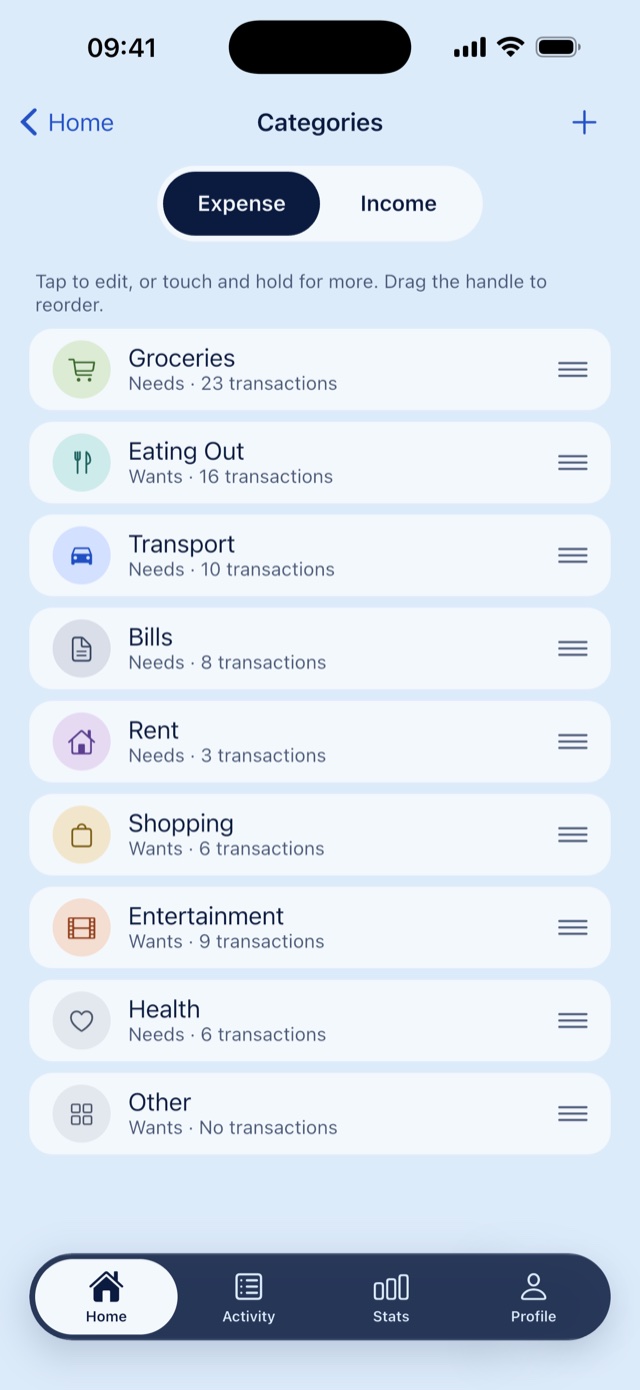
Your categoriesCreate, rename, reorder and archive them.
The Categories screen listing expense categories as needs and wants
Privacy

Private by design

What you enter stays on your iPhone.

No accountNothing to sign up for or sign in to.
Works offlineNo internet needed, wherever you are.
Hide amountsOne tap hides every amount on Home.
Face ID lockOr your iPhone passcode.

The details

Small things that make Drops easy to live with.

Reminders

A nudge to log your day, at a time you choose.

Export to CSV

Save a spreadsheet of every transaction to Files.

Light and dark

Follows your iPhone, or pick the one you like.

Dynamic Type and VoiceOver

Larger text and screen readers work throughout.

Coming next

Shared expenses, then wealth

Drops is growing from your own spending to the money you share with a partner, and then everything you own.